
Part Configuration
Editing part settings for unique business situations
Once a part is created, you can configure additional settings and edit current ones to automate system interactions with the inventory item.
Edit a Part
Find the part you want to edit, then click on "View" in the Actions column on the right, or double click on the row.
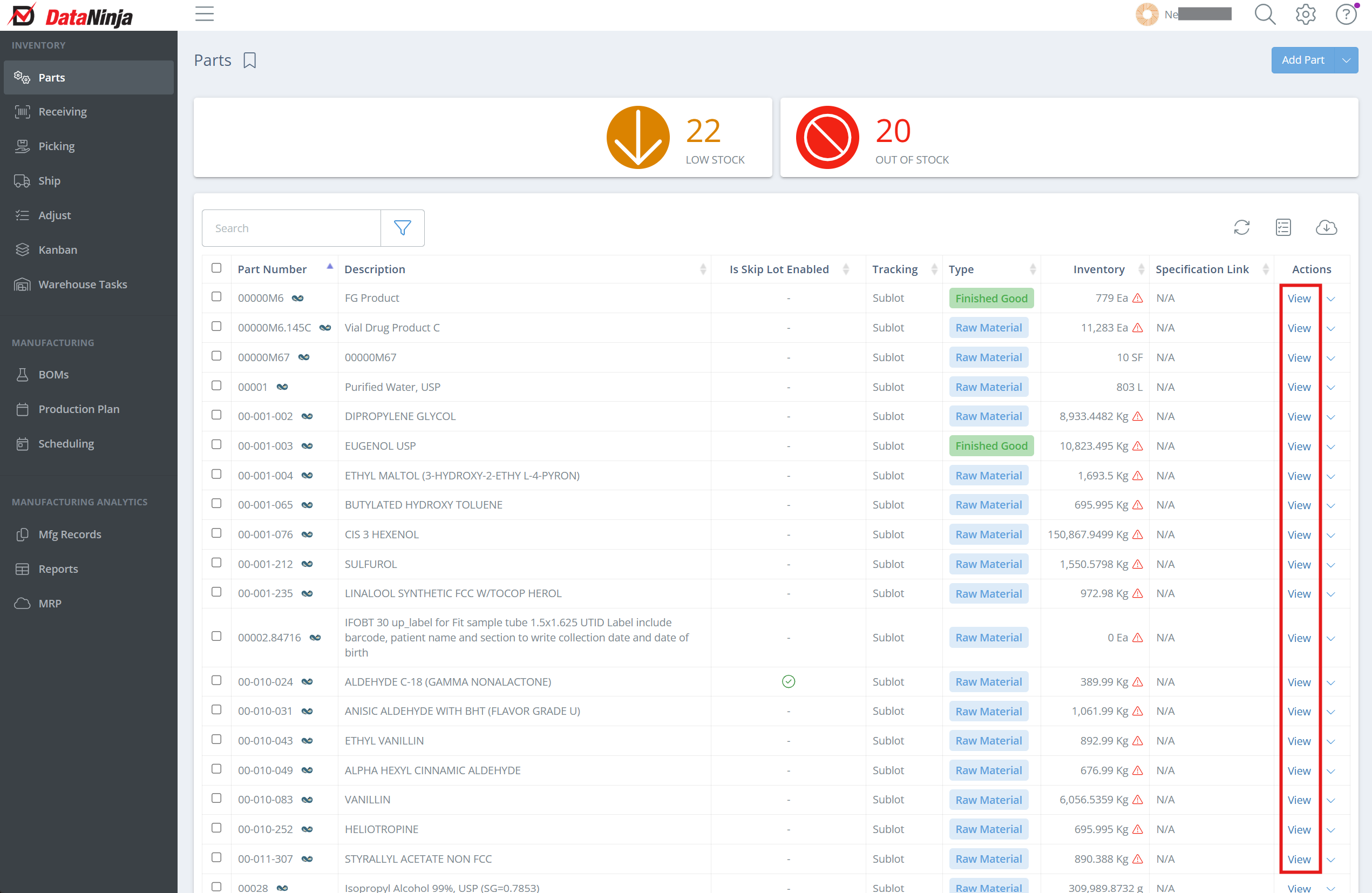
Screencap from v4.21.264.255
Click "Edit" next to the part name.
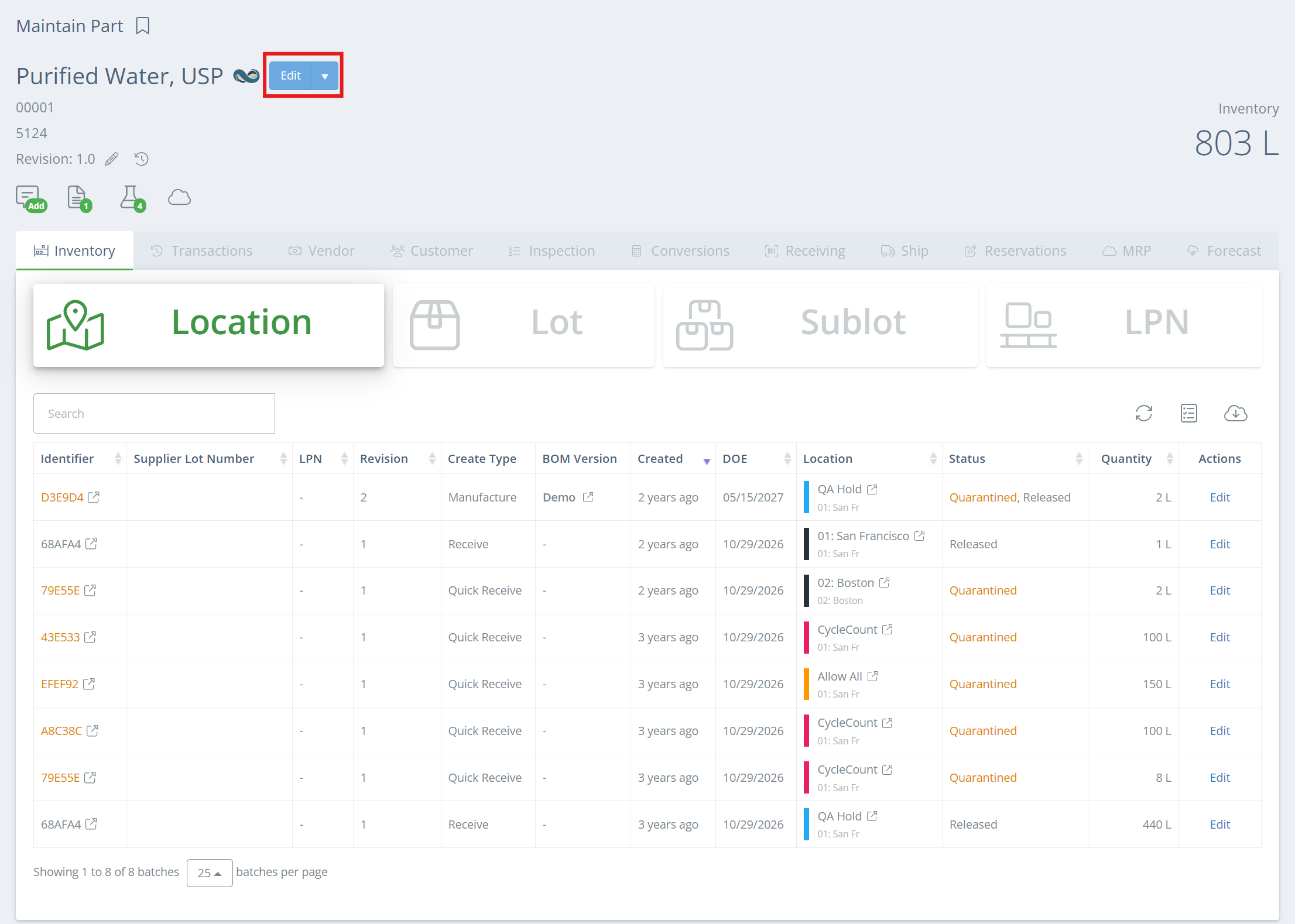
Screencap from v4.21.264.255
Edit/configure part settings, then click "Save and Close".
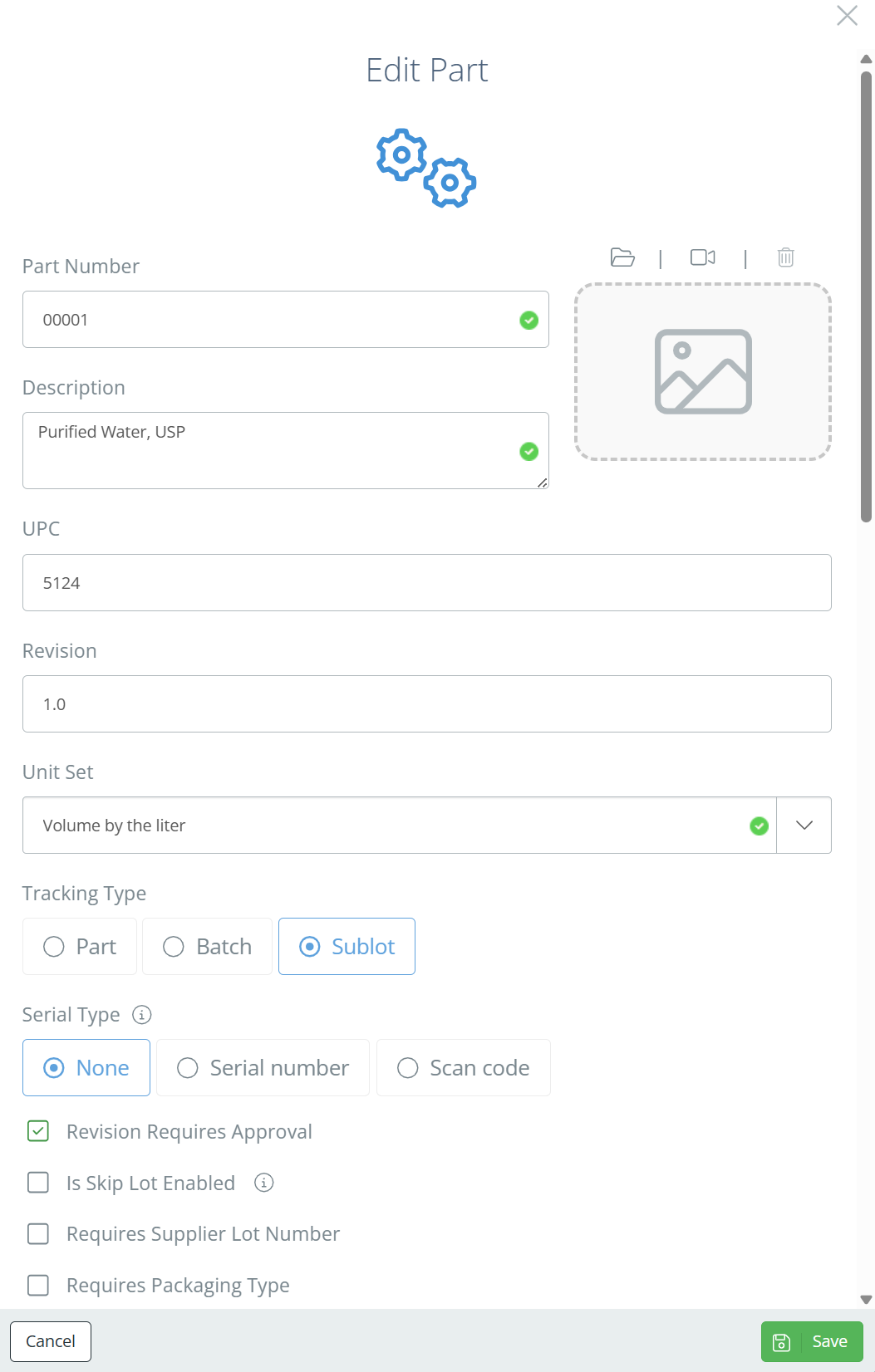
Screencap from v4.21.264.255
To control which users have access to edit part information, adjust their User Permissions .
Deleting a PartDeleting parts is not recommended- instead, the part should be marked as "Inactive" in NetSuite, which will sync to DataNinja. If a part gets deleted in DataNinja (not NetSuite) and needs to be restored, reach out to the DataNinja support team.
Updated 4 months ago