
The Beginning
It's a very good place to start
Español: Lee esta página en español.
Français : Consultez cette page en français.
Welcome to DataNinja! We are excited to help you simplify the complexities of inventory and all related tasks. These DataNinja guides are updated on a monthly basis, so be sure to check back for updates on new features and changes.
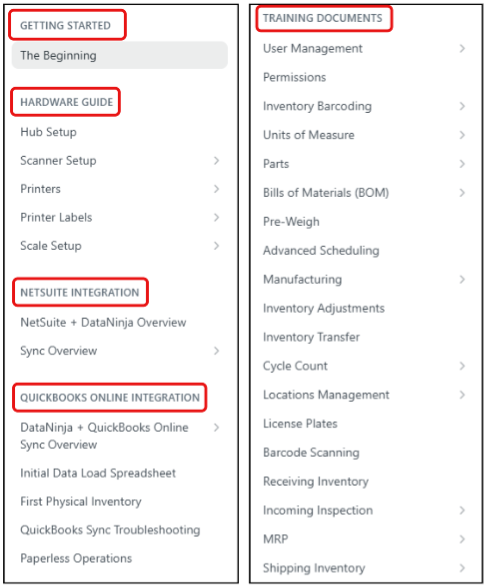
When navigating our DataNinja guides, take note to which integration section you're reading from. General connection with NetSuite and QuickBooks Online differs, so we have separate sections for basic setup while the pages under the Training Documents section apply to all DataNinja sites.
Integration-specific information will be called out on each page in the Training Documents section, so be sure to read carefully to know what applies to your DataNinja site.
The purpose of this guide is to make your implementation as straightforward as possible. Because of the unique nature of what you do, there is no one-size-fits-all solution when it comes to your DataNinja configuration. Keep your account representative's direct number handy and please let them know if you have any questions. Or, use the blue online chat bubble (found in the bottom right corner of this page) to reach any of our implementation experts.
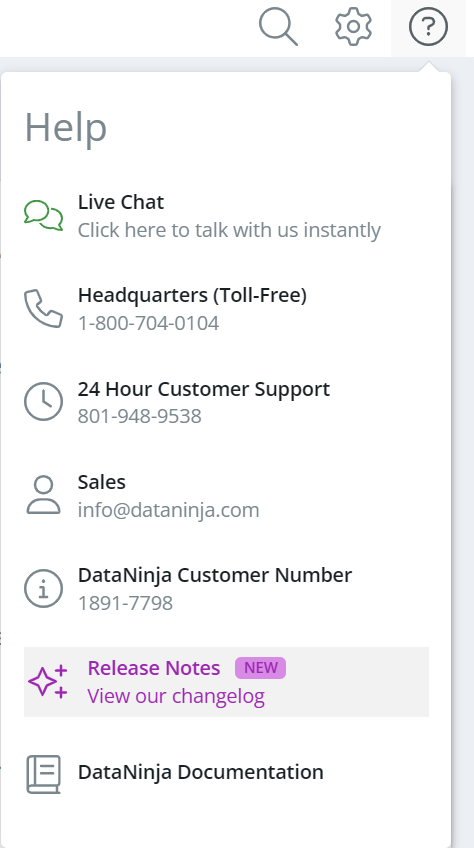
You can also view our newest updates and additions to DataNinja in our Release Notes, which can be found by clicking on the "?" button in the top right of any DataNinja website, then selecting "Release Notes".
Not interested in the do-it-yourself approach, or having trouble getting things working? Contact our Sales team and ask about DataNinja Professional Services.
Updated about 2 months ago