
Tracking Type
Choosing the best way to track inventory
Español: Lee esta página en español.
Français : Consultez cette page en français.
This page applies to DataNinja tenants integrated with NetSuite or QuickBooks Online, and to tenants with no finance system integration. The workflow in DataNinja is the same across integrations; where a financial system changes behavior, the integration-specific note calls it out.
Items that are synced with an integration will show the relevant integration's logo. Screenshots on this page may show the NetSuite logo, but tenants integrated with QuickBooks Online will see that logo instead. Tenants with no financial integration won't see any logo.
Tracking Types
Tracking type determines how DataNinja will monitor the quantity and location of inventory for a part. Part, Batch, or Sublot tracking is available and is set at the part level.
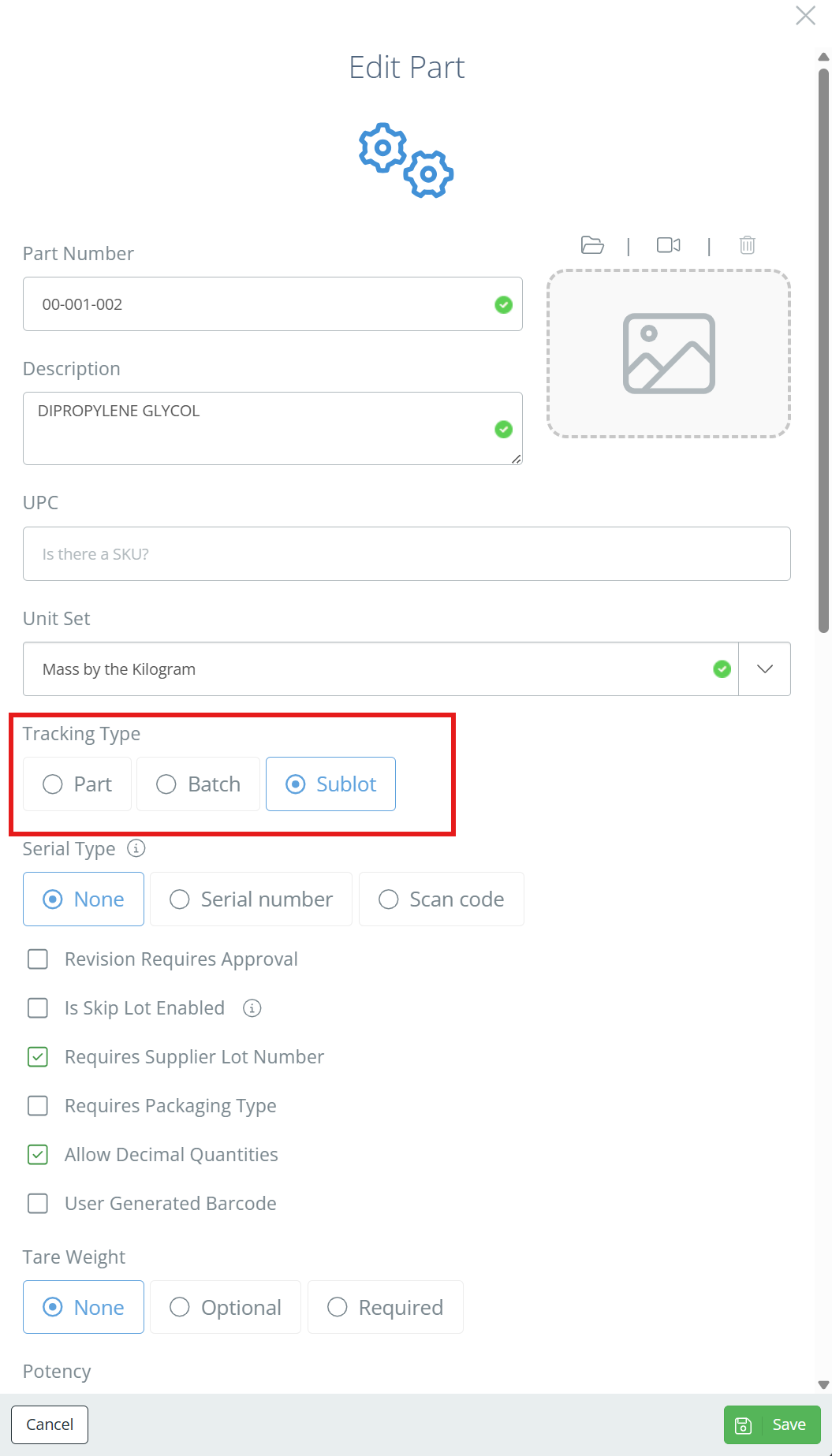
Part Tracking
For tracking the item quantity per inventory location (e.g., a truckload of inventory). Typically used when a lot number does not need to be recorded or tracked.
Batch Tracking
For tracking the item quantity per Lot Number per inventory location (e.g., individual pallets from a truckload of inventory). Generally used when a lot number is needed, but more minute tracking is not necessary.
Sublot Tracking
For tracking the item quantity per subset of a Lot independent of inventory location (e.g., individual boxes on a single pallet from a truckload of inventory). Recommended tracking method, and typically used when a lot number and finer tracking of inventory is needed.
Selecting the Right Tracking Type
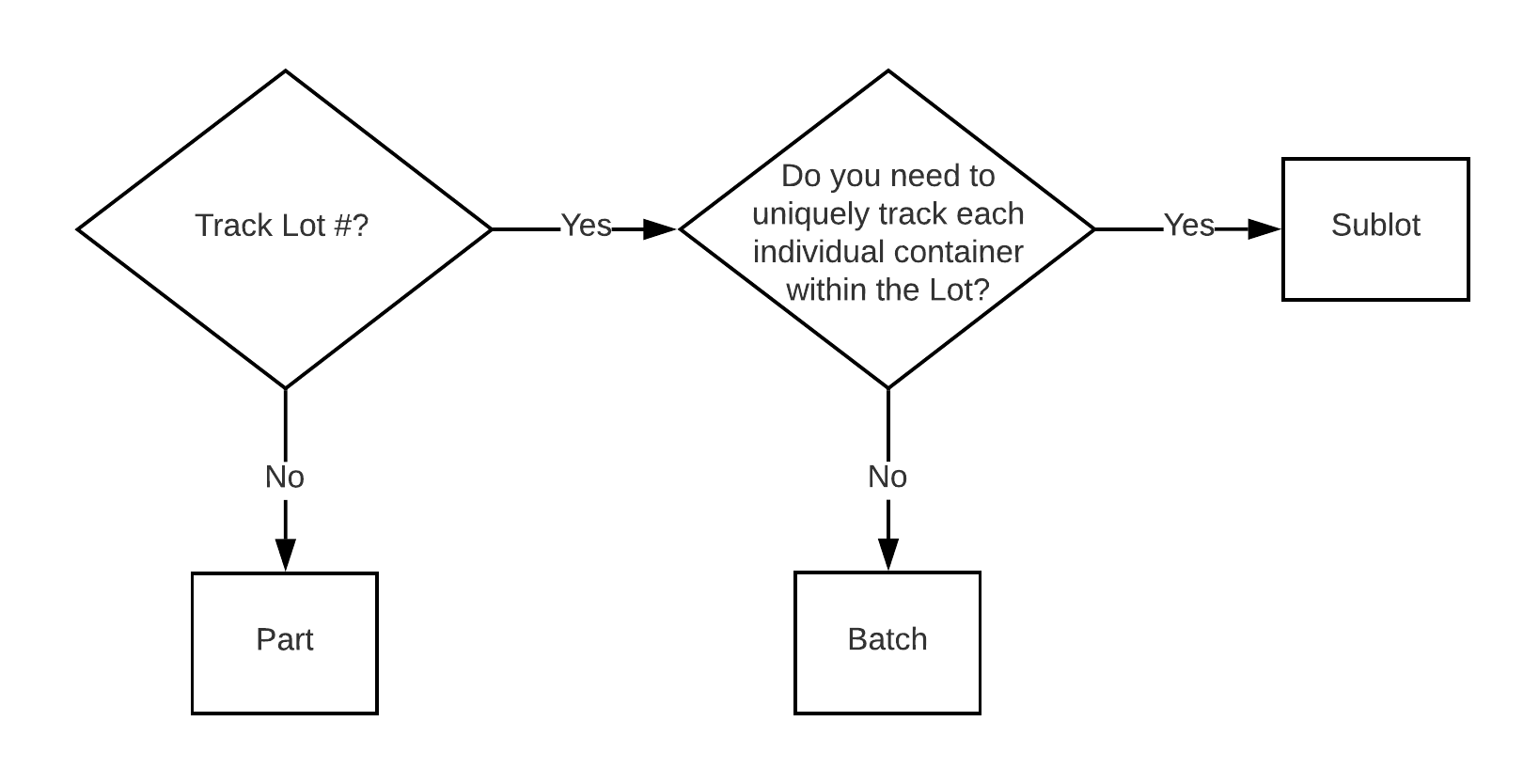
The right tracking type depends on the item and how you wish to transact the inventory. The most commonly used tracking type is Sublot as it allows for more minute tracking and recording of inventory. The decision matrix below can help you decide what is right for your part(s).
Its OK to have questionsGetting inventory tracking accurate at the speed of business is no small endeavor. Follow your instinct, it's probably right! If you are still unsure, contact your DataNinja onboarding professional, or open a chat with our Support team.
Updated 7 days ago