
NetSuite + DataNinja Overview
Leverage Netsuite's powerful finance system while diving deep into inventory control with DataNinja.
Español: Lee esta página en español.
Français : Consultez cette page en français.
NetSuite does everything from finance to marketing emails to your customer base. DataNinja adds to NetSuite's powerful ERP system by allowing you to see granular information about your inventory, consume and transact inventory quickly with barcode scanning, and manufacture multiple products in one production run.
This article gives a general overview of how DataNinja and NetSuite typically interact, but it may not match how you use NetSuite. Contact us via chat if you have specific questions about how DataNinja interacts with your NetSuite instance.
Purchasing
NetSuite starts by creating and tracking purchase orders (PO's), and after it's created, the PO flows into DataNinja. Invoices are matched to purchase orders and receiving statements in NetSuite. NetSuite maintains detailed records on all suppliers, including contacts, addresses, banking information, past payments, and credit memos.
You will receive and label inventory at the sublot level with unique identifiers in DataNinja, then perform detailed quality inspections which are attached to the unique identifier of each lot. You can control inventory status and movements in DataNinja; received and released inventory is pushed into NetSuite.
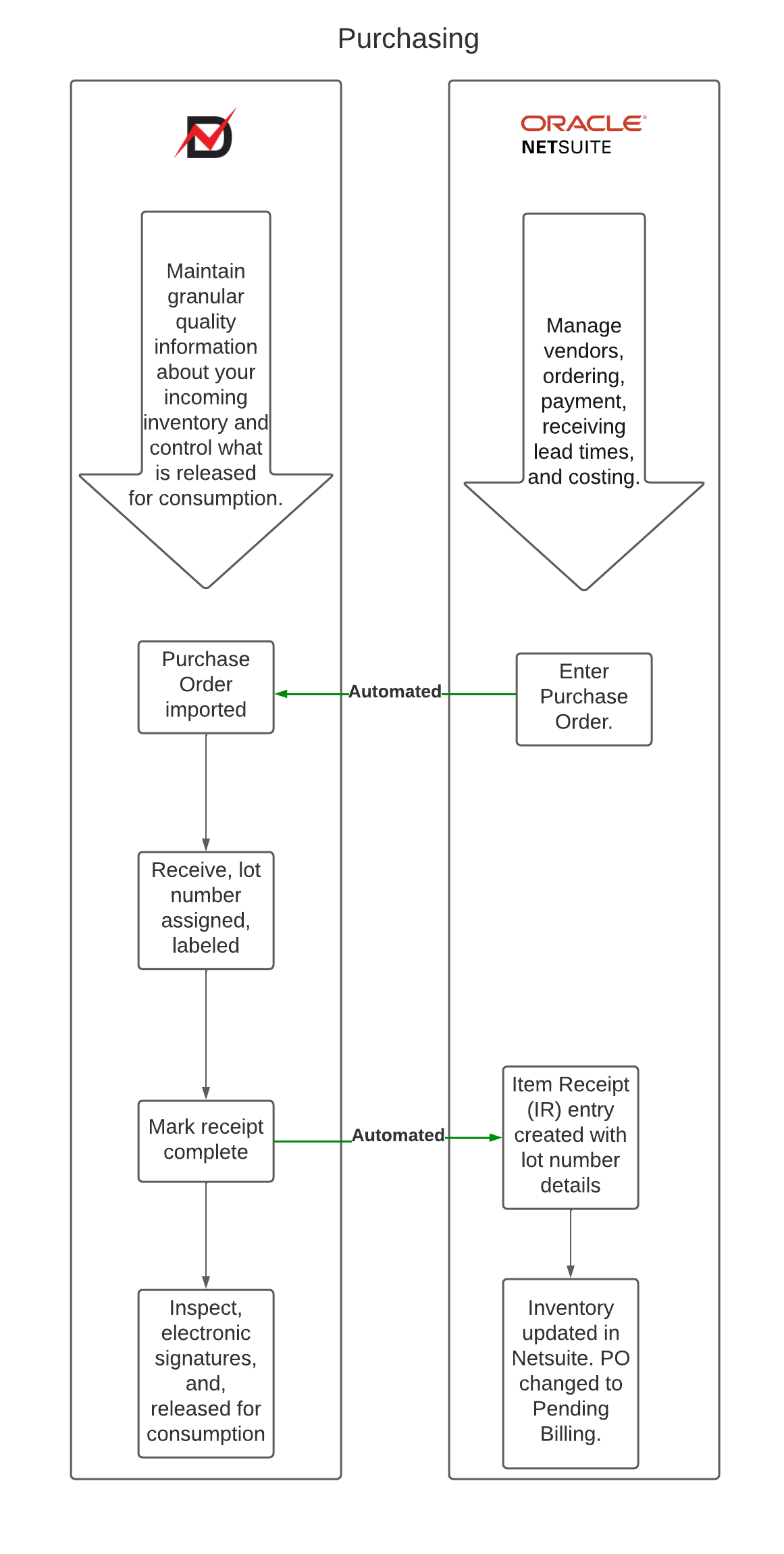
When receiving inventory in DataNinja, the receipt must be completed/closed before the receiving transaction is posted to NetSuite. Until the receipt is completed, NetSuite may not yet have the corresponding received inventory record. Because of this, any later lot status change in DataNinja, such as moving inventory to Rejected, Scrapped, Hold, or Released, may not sync as expected if the original receipt was not completed first.
Receiving Sequence Good Practices
- Receive the inventory in DataNinja
- Complete/close the receipt so the received inventory is posted to NetSuite
- Perform inspection or status review in DataNinja
- Apply the applicable lot status change in DataNinja
- DataNinja send the status update to NetSuite
Manufacturing
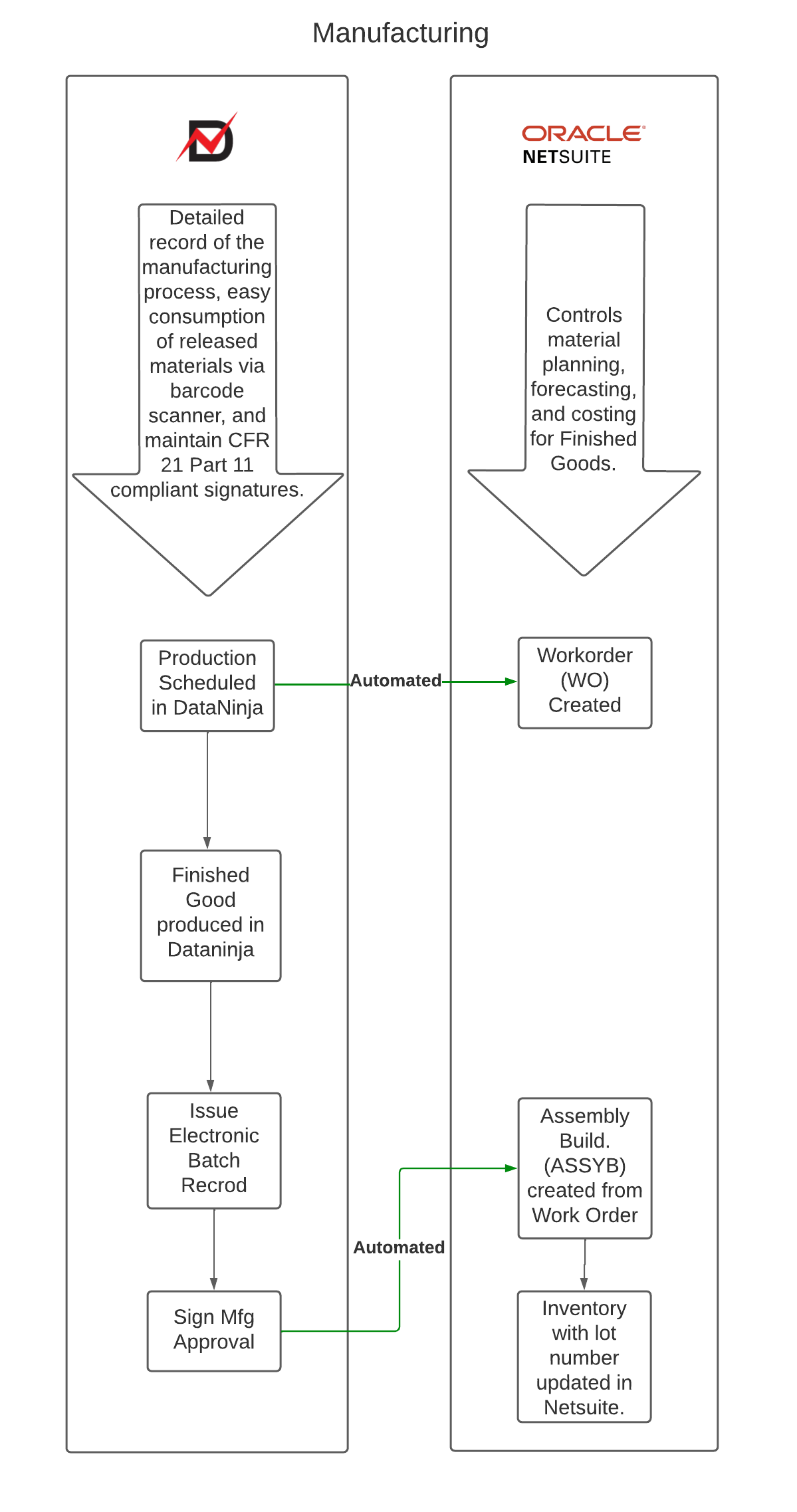
NetSuite offers the power and agility to support and adapt to your exact processes as they change over time. It provides visibility and control of key processes that you need in order to compete more effectively in the market as well as greater insight into the production cycle, from assembly to days on-hand inventory reporting and fulfillment.
DataNinja stores your Bills of Materials (BOM/MMR/recipes) and detailed records of the manufacturing process. Using DataNinja, you can quickly consume released materials during manufacturing via barcode scanner, and DataNinja will store your quality control inspections and record CFR 21 Part 11 compliant signatures.
Sales
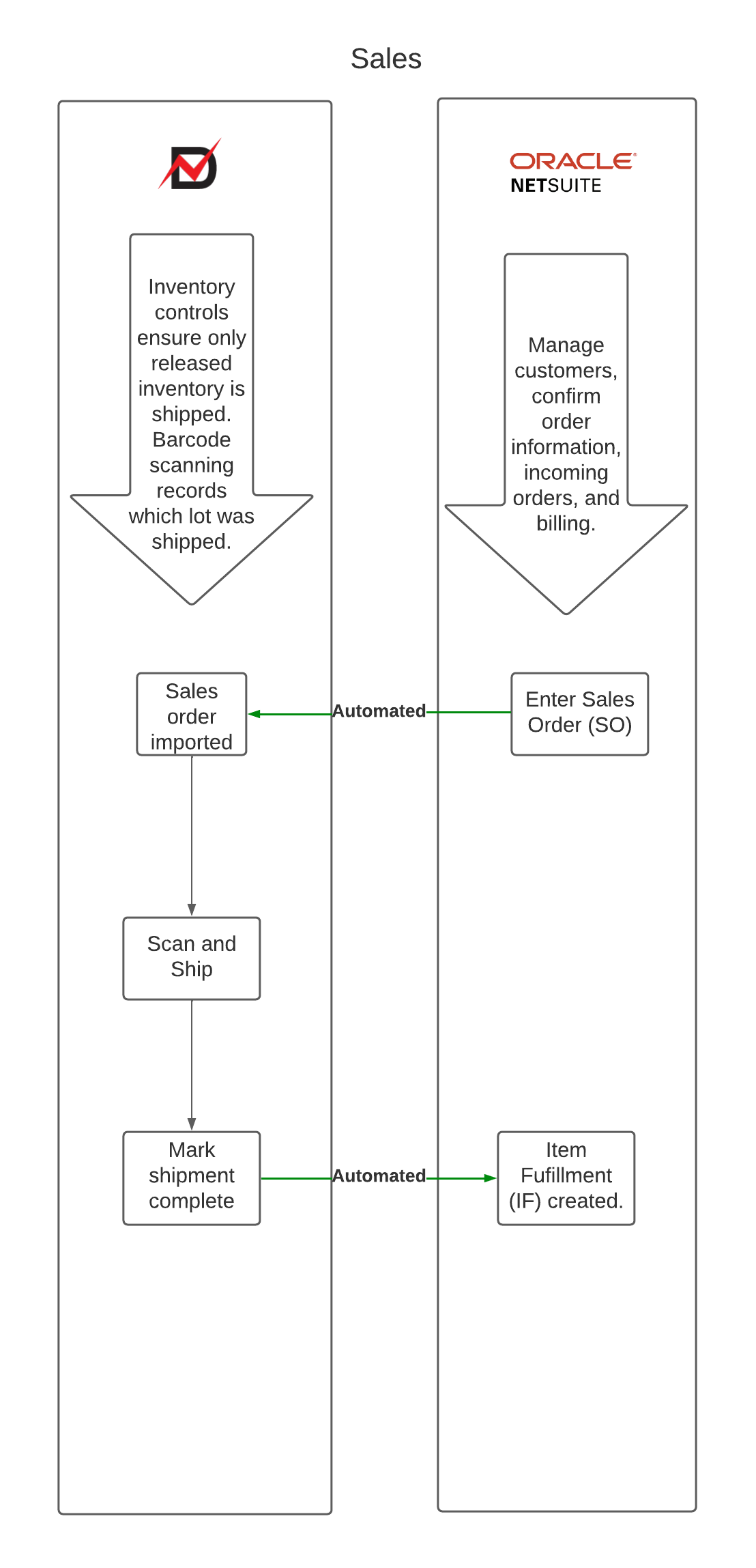
All processes are connected in NetSuite, from the creation of a lead through generating an estimate. Once a quote is accepted, generate the sales order directly from the estimate. Sales orders allocate product and services, automating invoice creation.
Inventory controls in DataNinja ensure only released inventory is shipped. Barcode scanning records which lot was shipped. By maintaining a record of lot numbers from receiving to shipping, you can quickly fill sales orders in DataNinja. After a sales order shipment is marked as complete, DataNinja will sync with NetSuite to create an item fulfillment and close the order.
Updated about 1 month ago