
Open Produced Batches
How to reconcile Open Produced Batches
Español: Lee esta página en español.
Français : Consultez cette page en français.
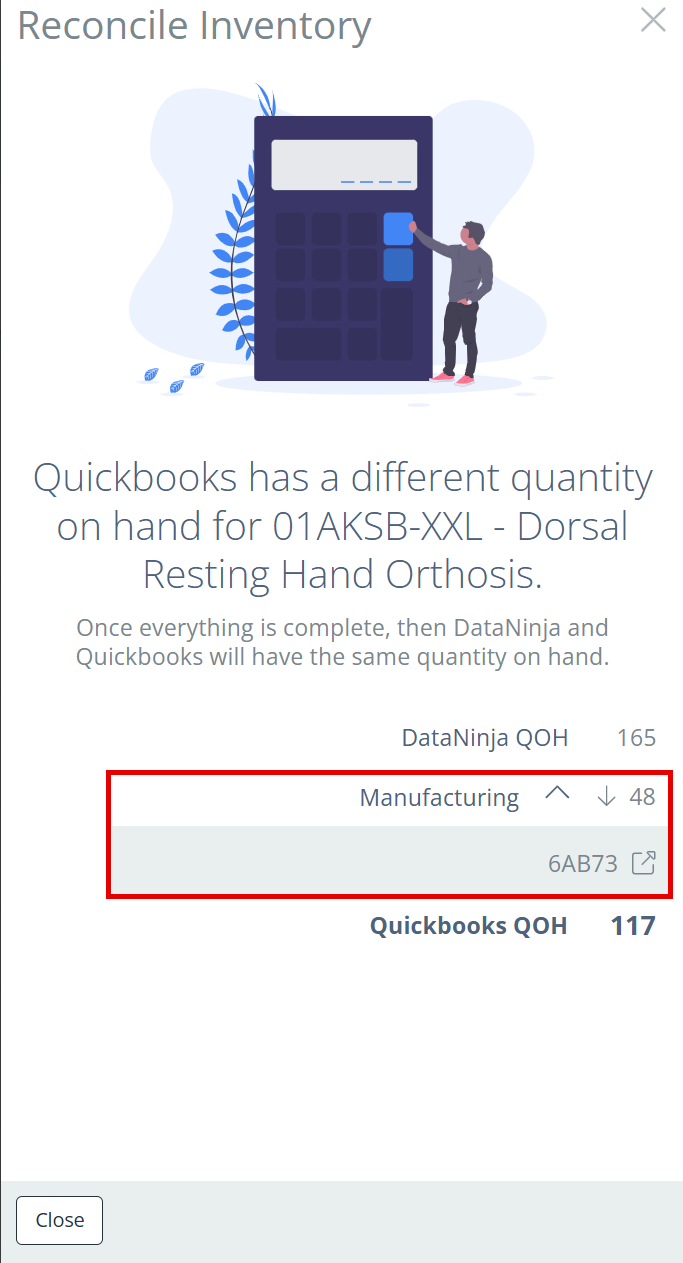
Manufacturing production that hasn't synced to QuickBooks yet shows on the Manufacturing line of the Reconcile Inventory panel. Click the arrow next to Manufacturing to see the batches.
Steps to Reconcile
- Click a batch in the Manufacturing list to open its manufacturing record.
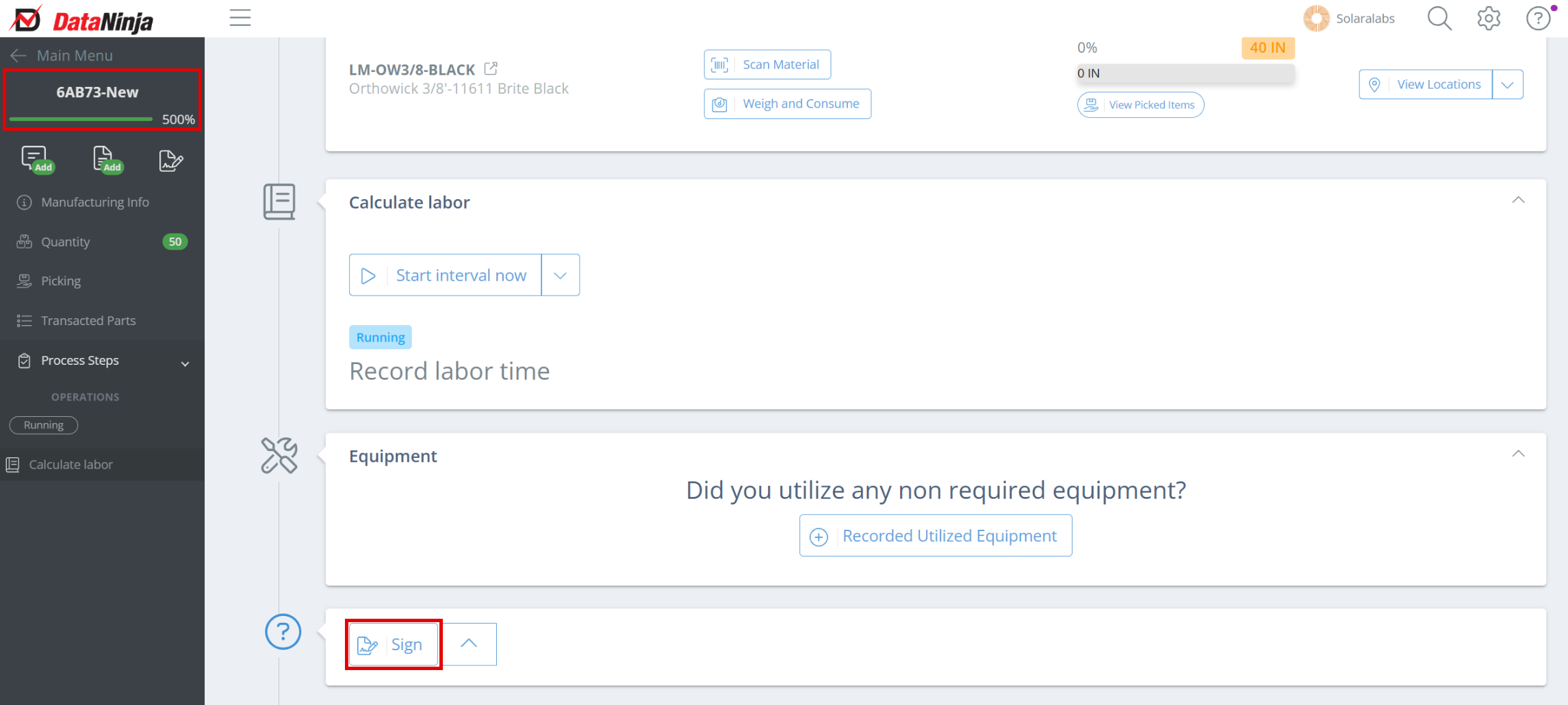
- eSign the manufacturing record by clicking "Sign" at the bottom of the record.
Updated 4 days ago