
Units of Measure
Choose the right unit of measure across DataNinja integrations
Español: Lee esta página en español.
Français : Consultez cette page en français.
This page applies to DataNinja tenants integrated with NetSuite or QuickBooks Online, and to tenants with no finance system integration. The workflow in DataNinja is the same across integrations; where a financial system changes behavior, the integration-specific note calls it out.
Items that are synced with an integration will show the relevant integration's logo. Screenshots on this page may show the NetSuite logo, but tenants integrated with QuickBooks Online will see that logo instead. Tenants with no financial integration won't see any logo.
Financial System Differences
QuickBooks Online
Units of Measure should be created and maintained in DataNinja.
NetSuite
Units of Measure will sync between NetSuite and DataNinja, and can be created in either system. Make sure any changes made to a UOM correctly syncs through, or run a manual UOM sync on DataNinja's Sync page.
What is a Unit of Measure?
A Unit of Measure (UOM) gives meaning to an inventory quantity; it's the business term used to describe how an inventory item (part) is counted. Not only do UOM clarify the number of an inventory quantity, they also have a large impact on the financial reporting and definition of your business processes.
Varying UOMSometimes, you'll purchase a part in a different UOM than you consume it during manufacturing- DataNinja allows you to use a different UOM when Stocking, Purchasing, Selling, and Shipping a part. See the Unit of Measure Sets page for more details on how to set that up.
To view the list of Units of Measure, click on the gear icon in the top right of the page, then go to "All Lists" under Lists and click on the "Units of Measure" link.
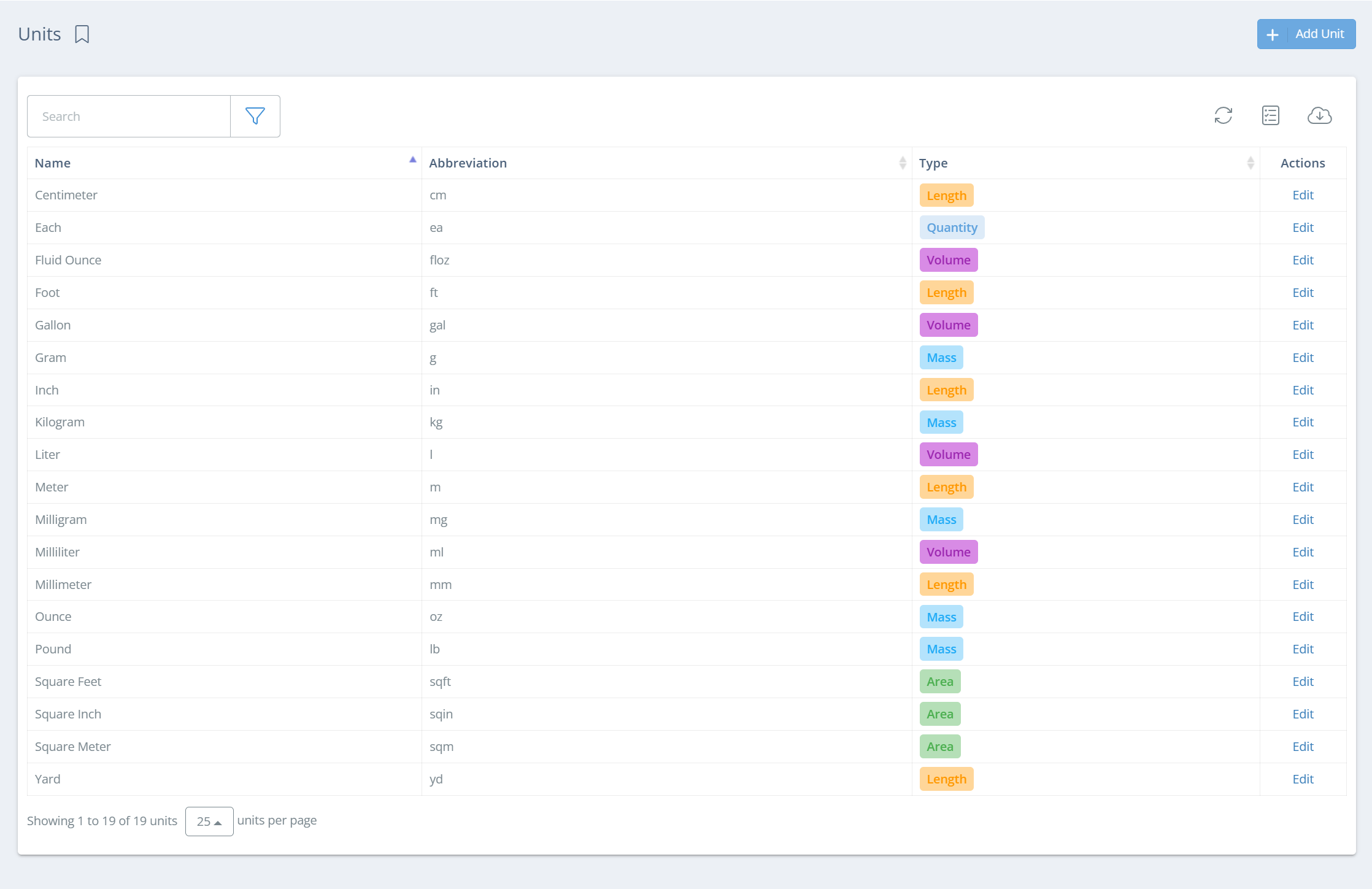
Default UOM options are related to area, length, mass, quantity, time, or volume (i.e., cm, mm, g, kg, etc.). When creating a custom UOM, however, there is a type "Other" that is available for selection.
Choosing the Best Unit of Measure
Assign each inventory part a UOM that makes the most sense for how your operations interact with the item.
| Part Type | UOM Measurement |
|---|---|
| Raw Material/Sub-Assembly | What measurement do you use when the part is consumed during manufacturing? |
| Finished Good | What measurement do you use when selling the part to customers? |
Creating a Custom UOM
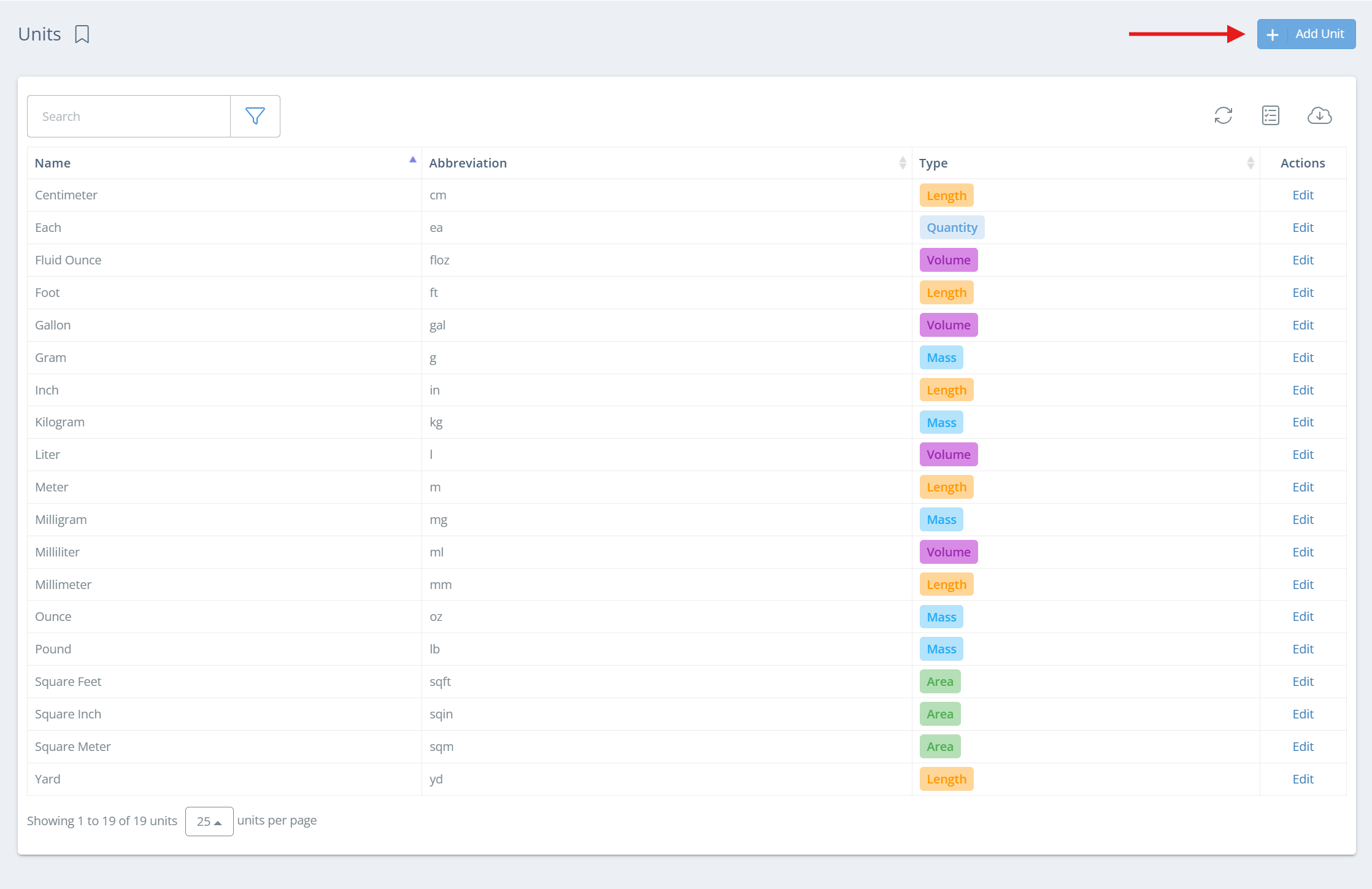
On the UOM page, click 'Add Unit' on the right side of the page.
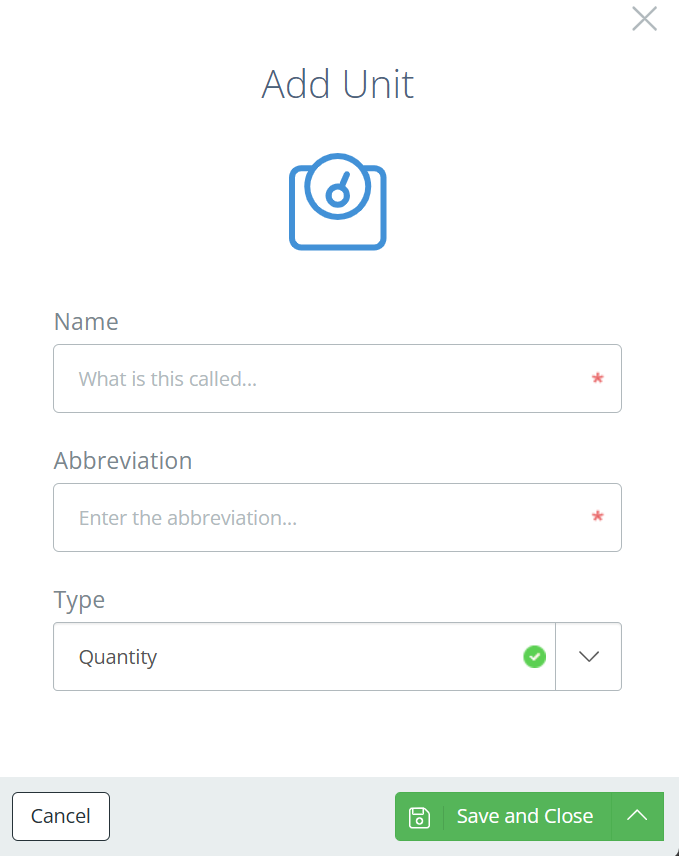
An aside will open, where you will need to enter a name, abbreviation, and type for the new UOM. Click save when all fields have been filled out.
Each (ea) - The Wildcard UOM
Using a UOM of "each" (usually abbreviated as 'ea') can provide flexibility when the inventory quantity does not require an explicit scientific measure (mass, volume, length, etc.). For example, if the inventory part is a liquid in a 1L bottle, it might make more sense to know there are 5 ea (bottles) rather than track the inventory as 5L.
Updated 11 days ago