
Repeating Process Steps
Process steps that can be recorded multiple times during manufacturing
Español: Lee esta página en español.
Français : Consultez cette page en français.
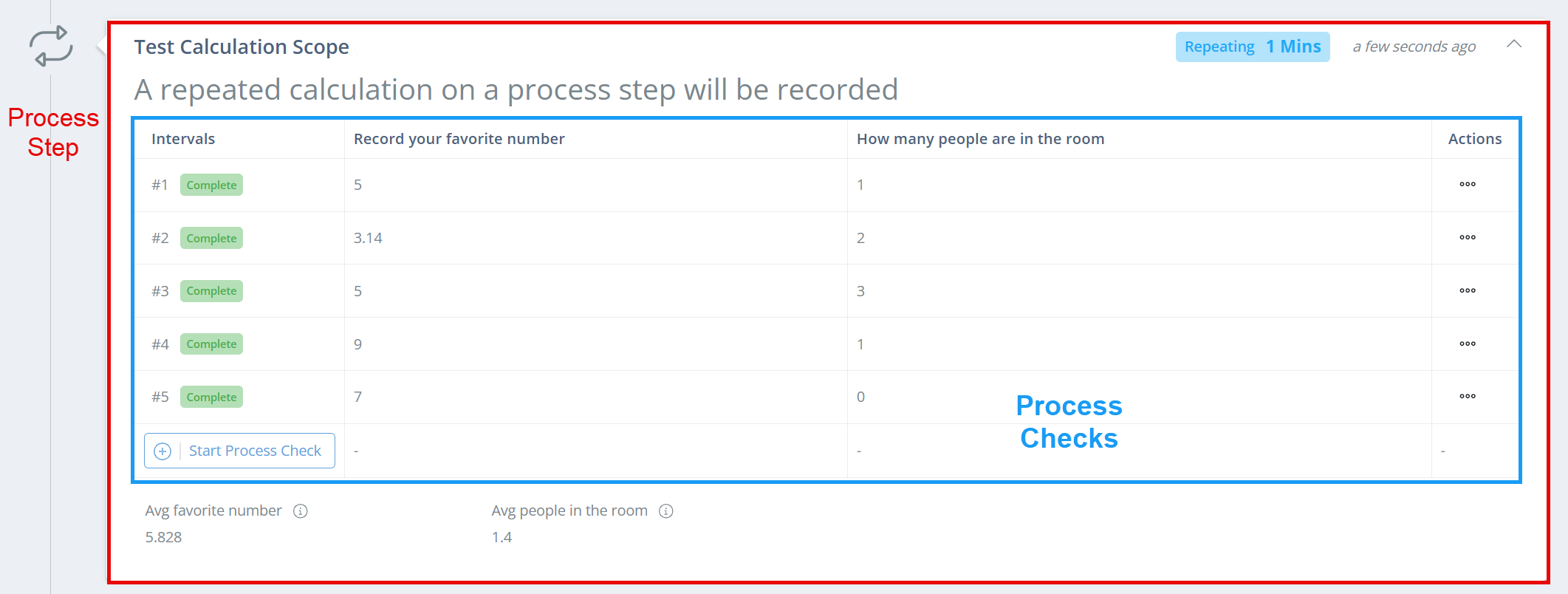
When a process step is set up to be repeated, each of the attributes on the process step can be recorded multiple times; each round of recorded attributes are called 'Process Checks' and numbered as 'Intervals'.
Process Steps vs. Process ChecksA process step is an individual section of a manufacturing record, and can contain multiple attributes/recorded fields. A process check is when a process step is repeatable, and each field can be recorded multiple times; the checks are then numbered as 'Intervals'.
Set a Process Step as Repeated
When creating or editing a process step, select 'Yes' in the Is Repeated? field. 3 new fields will show, and they control how frequently the step is repeated, if each recorded line needs verification, and if a specific sublot should be recorded with each repetition.
Frequency of Repetition
| Frequency of Repetition | Definition | Appearance on Record |
|---|---|---|
| Manual | The process step can be repeated as many times as desired, but must be completed at least once if there are any required attributes. | Shows number of times completed. |
| Fixed | The process step must be repeated a fixed number of times before the record can be fully signed off. | Shows number of times completed vs required number. |
| Continuous | The process step will be flagged to be completed every X minutes, but other actions are not restricted if the time passes. It can be completed more frequently as well. Default intervals are 15, 30, 45, and 60 minutes, but a custom interval can be created as well. | Shows how frequently, in minutes, a process check should be completed. |
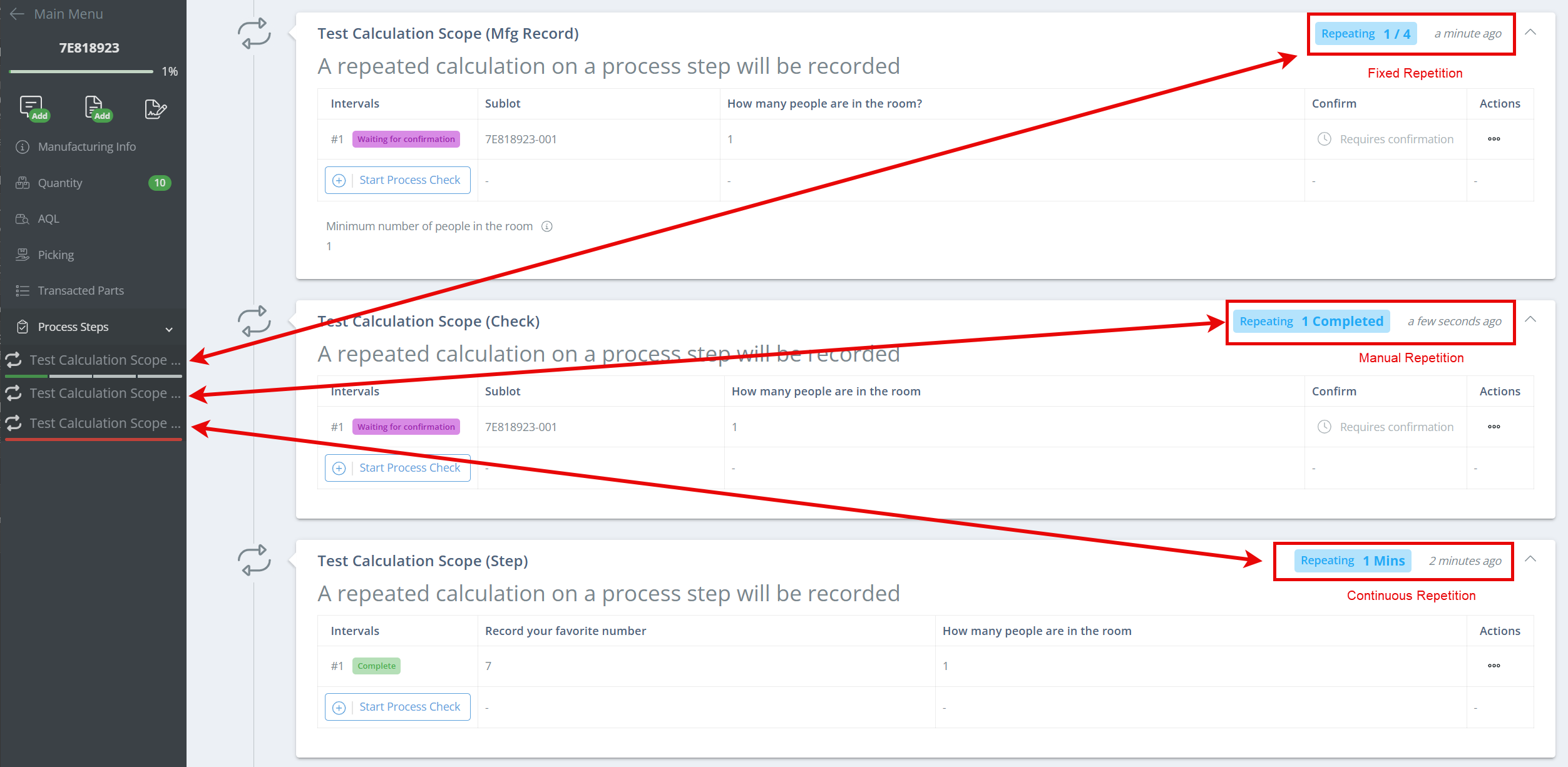
On the manufacturing record, each repeating process step will show an approximate timestamp of the most recent process check completed. In the left-hand sidebar, a status bar will show for process steps with Fixed or Continuous repetitions.
Fixed repetition steps will show a status bar divided into the number of expected repetitions, and as each is completed, the correlating section will be marked green.
Process steps with continuous repetition will show a red status bar if the expected timeframe has passed and a new check needs to be completed. Otherwise, the progress bar will show as white once the first process check has been completed.
Requires Verification
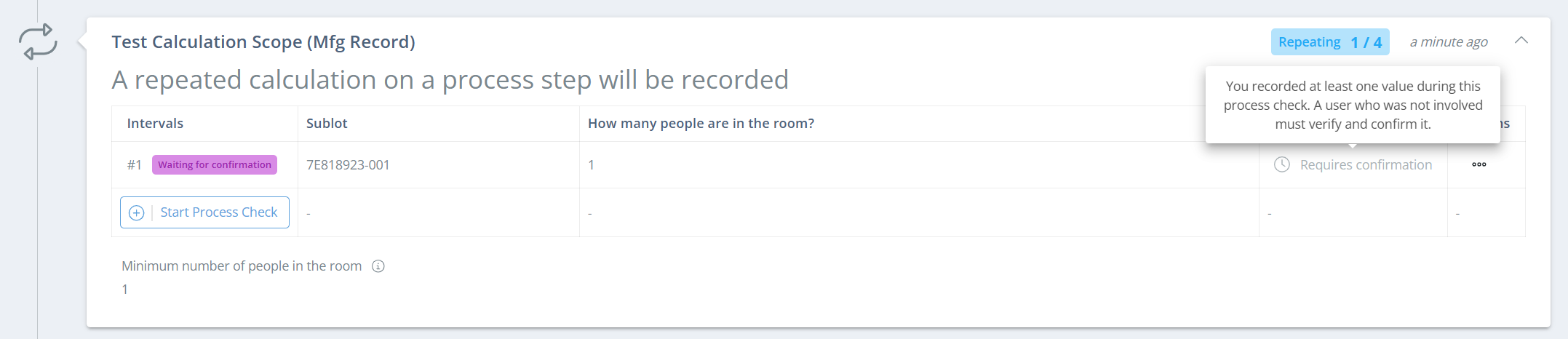
Second person verification means that one user will record the attribute values, and then a second user with a separate DataNinja login will check that the entered values are correct and click 'Confirm' next to each interval. On a repeating process step, the verification is required for every process check.
Record Sublot During Process Checks
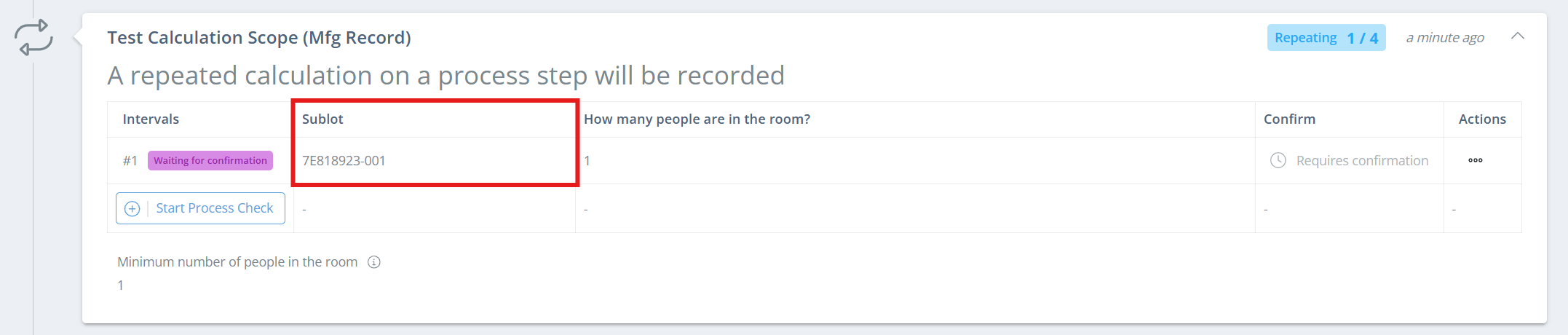
If a sublot should be associated with a process check, change this field to 'Optional' or 'Required'. However, keep in mind that this will require that sublots be created prior to the process check(s) being completed, as it will utilize the produced sublots, not consumed sublots. This feature just adds an additional field when completing a process check, where a produced sublot can be selected, and it will show on the process check interval.
Updated 10 days ago