
Types and Restrictions
Español: Lee esta página en español.
Français : Consultez cette page en français.
Types
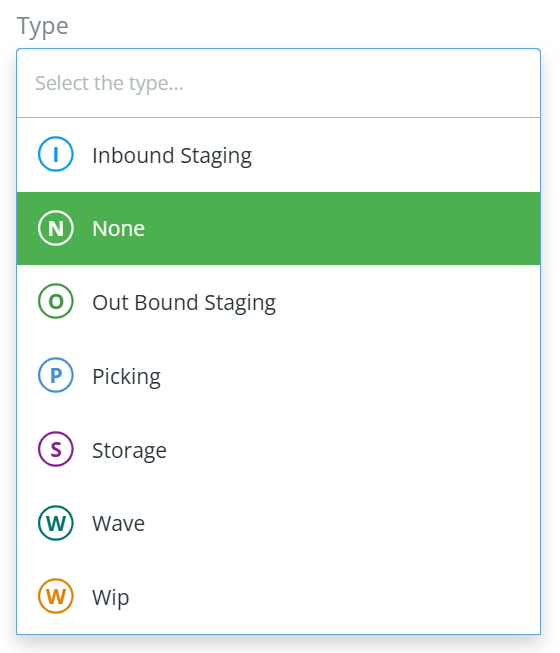
DataNinja allows you to specify what kind of Zone/Location you are creating- this is just a way to track the expected kind of inventory that will be there, and it doesn't restrict inventory from being transferred in. New Zone and Location types cannot be created, only the default options can be used. If you don't need to specify the type, just leave it as "None".
Restrictions
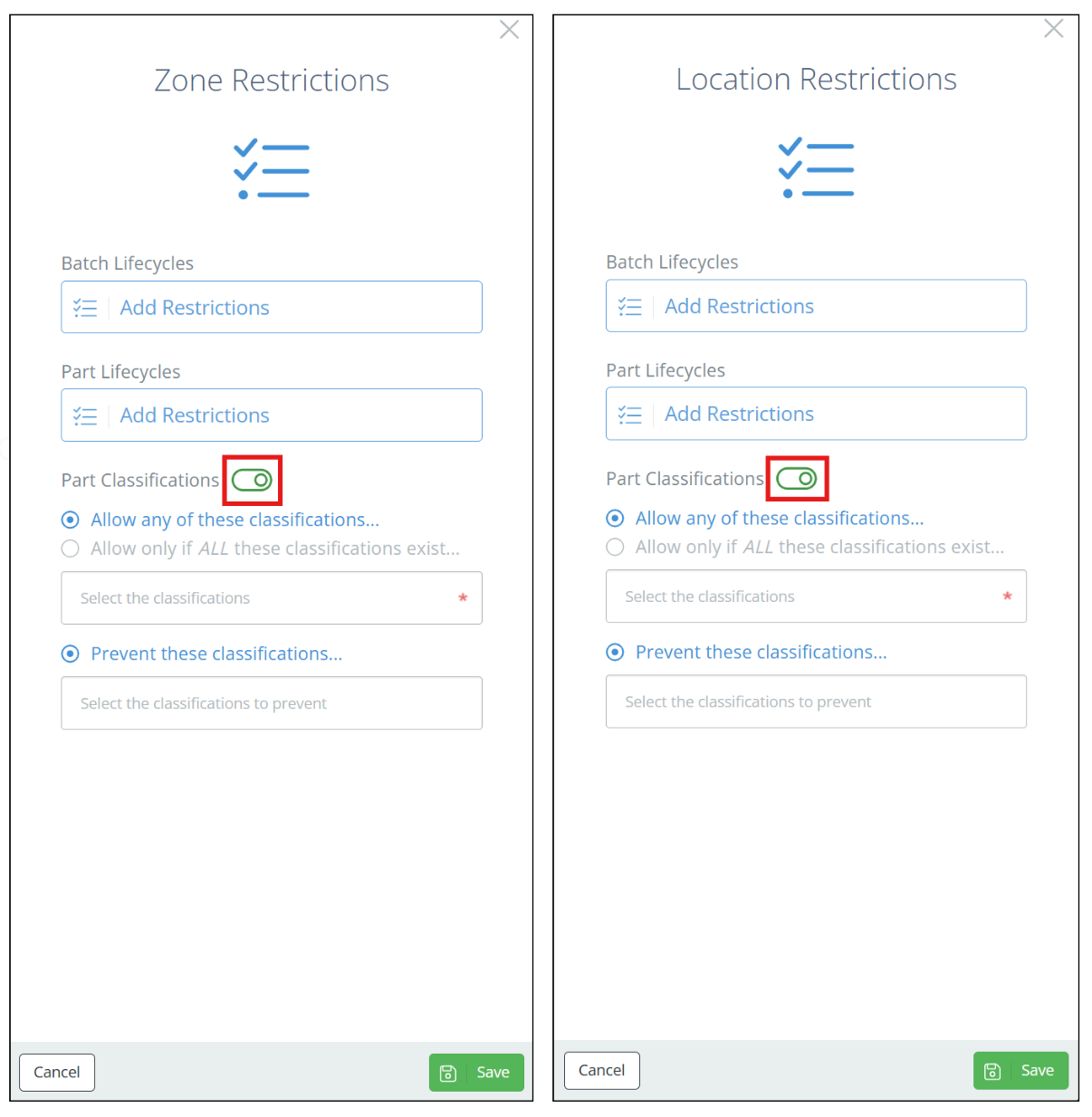
To prohibit certain inventory from being transferred into a Zone/Location, click on "Configure Restrictions" when creating or editing the Zone/Location. You can require inventory to have specific batch or part lifecycles, specific part classifications- or, if you want to accept the majority of lifecycles and classifications but want to reject a certain few, use the 'Any lifecycle except...' and 'Prevent these classifications...' options. To turn off a restriction, click the green toggle next to the category.
To view and manage all existing Zones, click the gear icon in the top right and go to 'All Lists', then click on Zones. From this page, you can edit/update existing Zones or create new ones.
Updated 16 days ago