
Reconcile Inventory
Español: Lee esta página en español.
Français : Consultez cette page en français.
If there is ever an inventory quantity discrepancy between DataNinja and QuickBooks, a triangle notification icon appears next to the item on the "Parts" page.
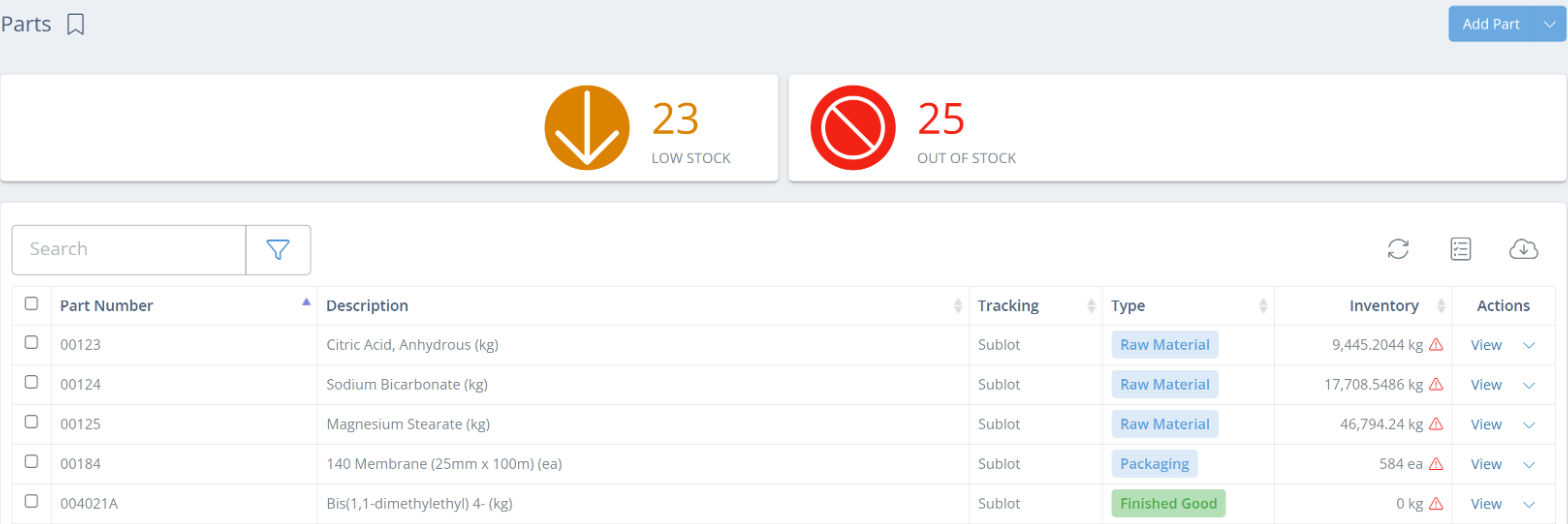
Click the triangle icon to open the Reconcile Inventory panel. The panel starts with the DataNinja quantity on hand (QOH), lists the open records that QuickBooks doesn't have yet, and ends with the QuickBooks QOH. Each line shows how much that area adds to (↑) or subtracts from (↓) the DataNinja QOH to get to the QuickBooks QOH.
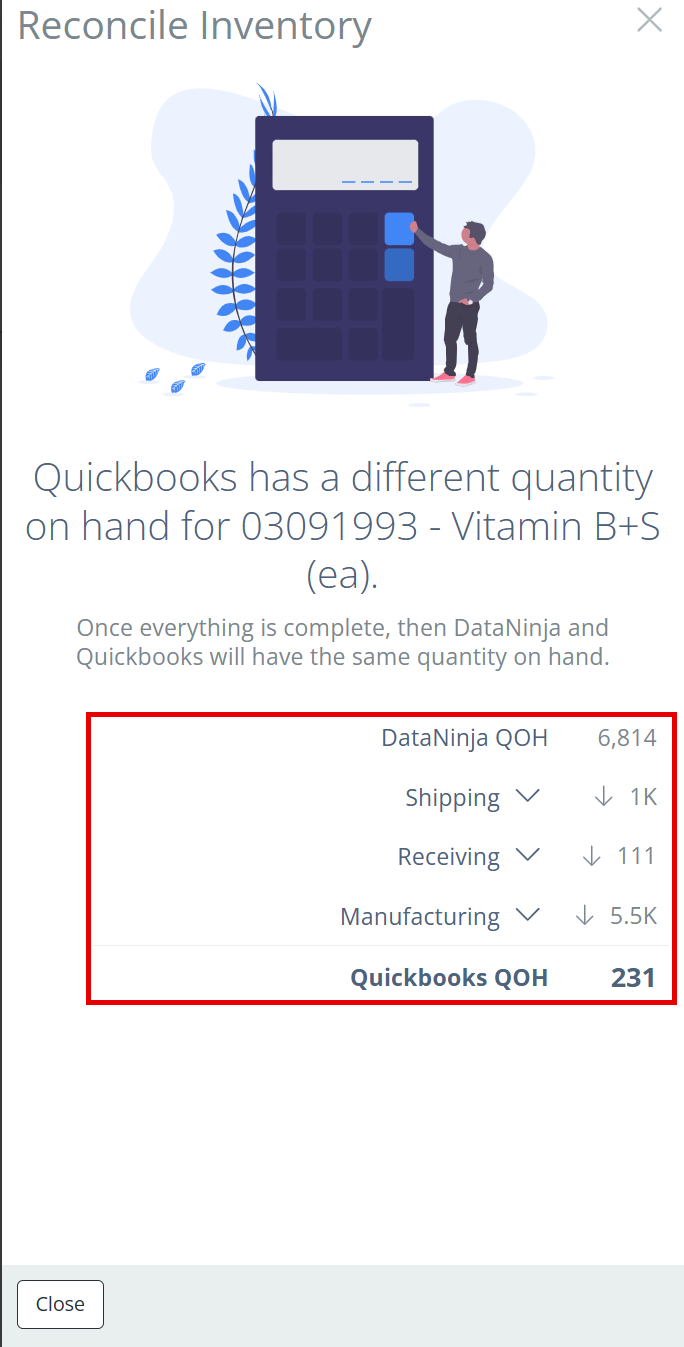
Click the arrow next to a line to see the records behind it, then click a record to open it. Once every listed record is complete, DataNinja and QuickBooks will have the same quantity on hand.
Receiving
The Receiving line lists purchase orders with inventory receipts that haven't synced to QuickBooks yet. To resolve, create the open inventory receipts.
Shipping
The Shipping line lists sales orders with shipments that haven't synced to QuickBooks yet. To resolve, complete the open shipments.
Manufacturing
The Manufacturing line lists batches with consumption (utilized parts) or production that hasn't synced to QuickBooks yet. To resolve, eSign the manufacturing record.
Updated 7 days ago